

Editor/Start Project
Editor
002 Start Project
Create a new ApiHug project from the IntelliJ plugin wizard.
When To Use It
Use this flow when you want to bootstrap a fresh ApiHug project from IntelliJ instead of assembling the project structure by hand.
Steps
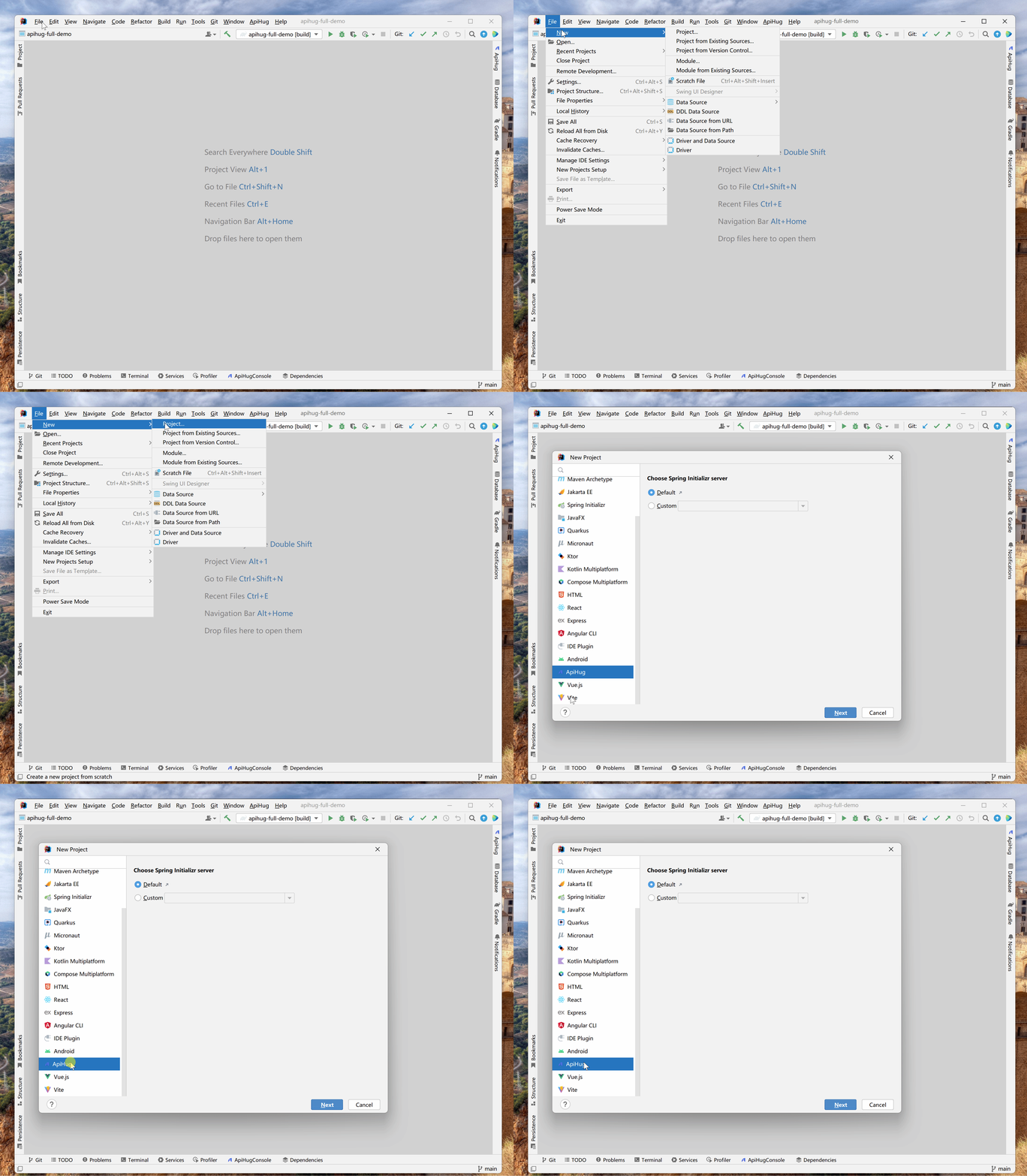
- Open IntelliJ and choose
File -> New -> Project. - Select
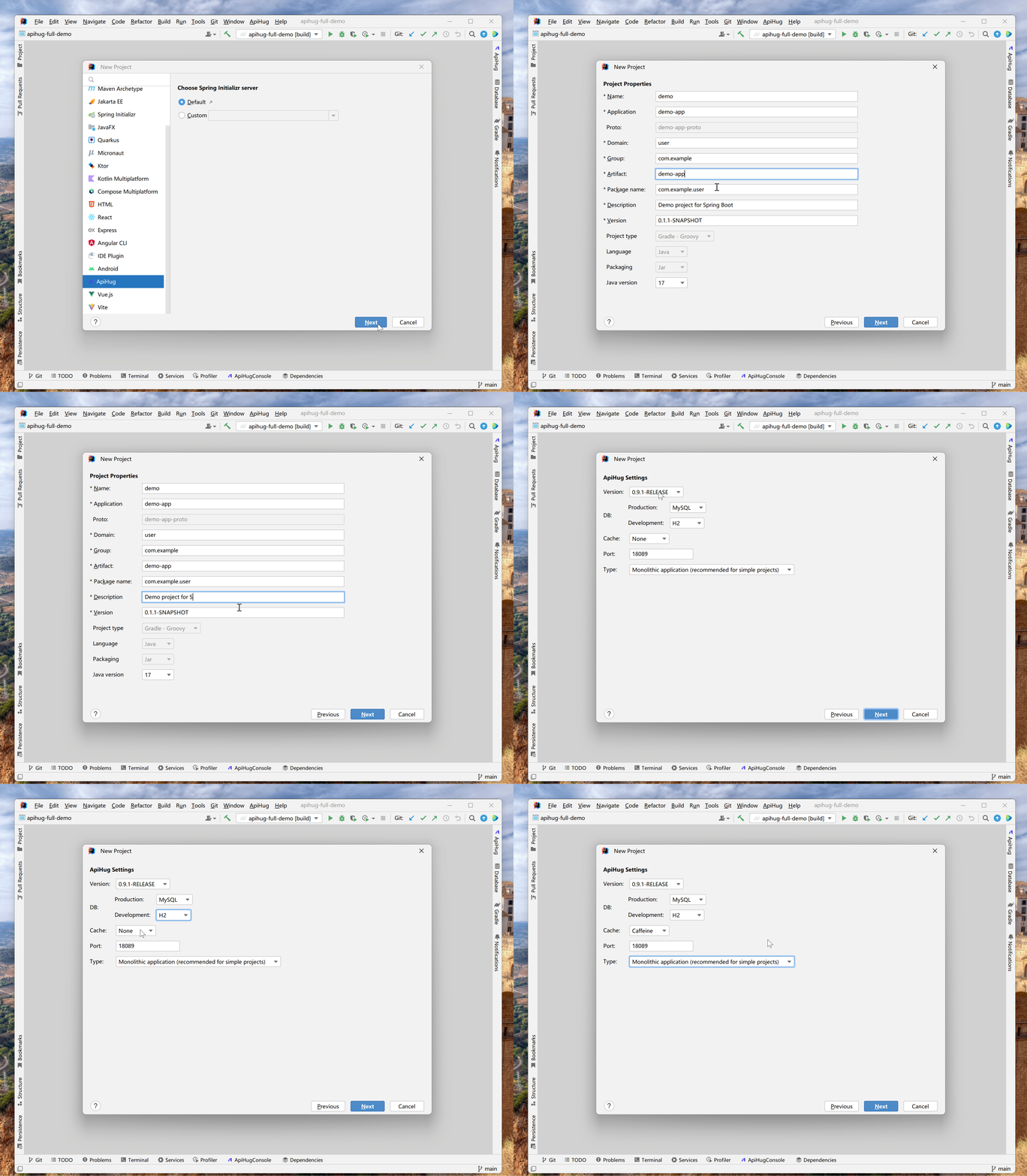
ApiHugin the project wizard. - Fill in the base project information:
- package
- project name
- description
- Choose the SDK and runtime options you want to start with:
- ApiHug version
- database vendor
- cache option
- service port
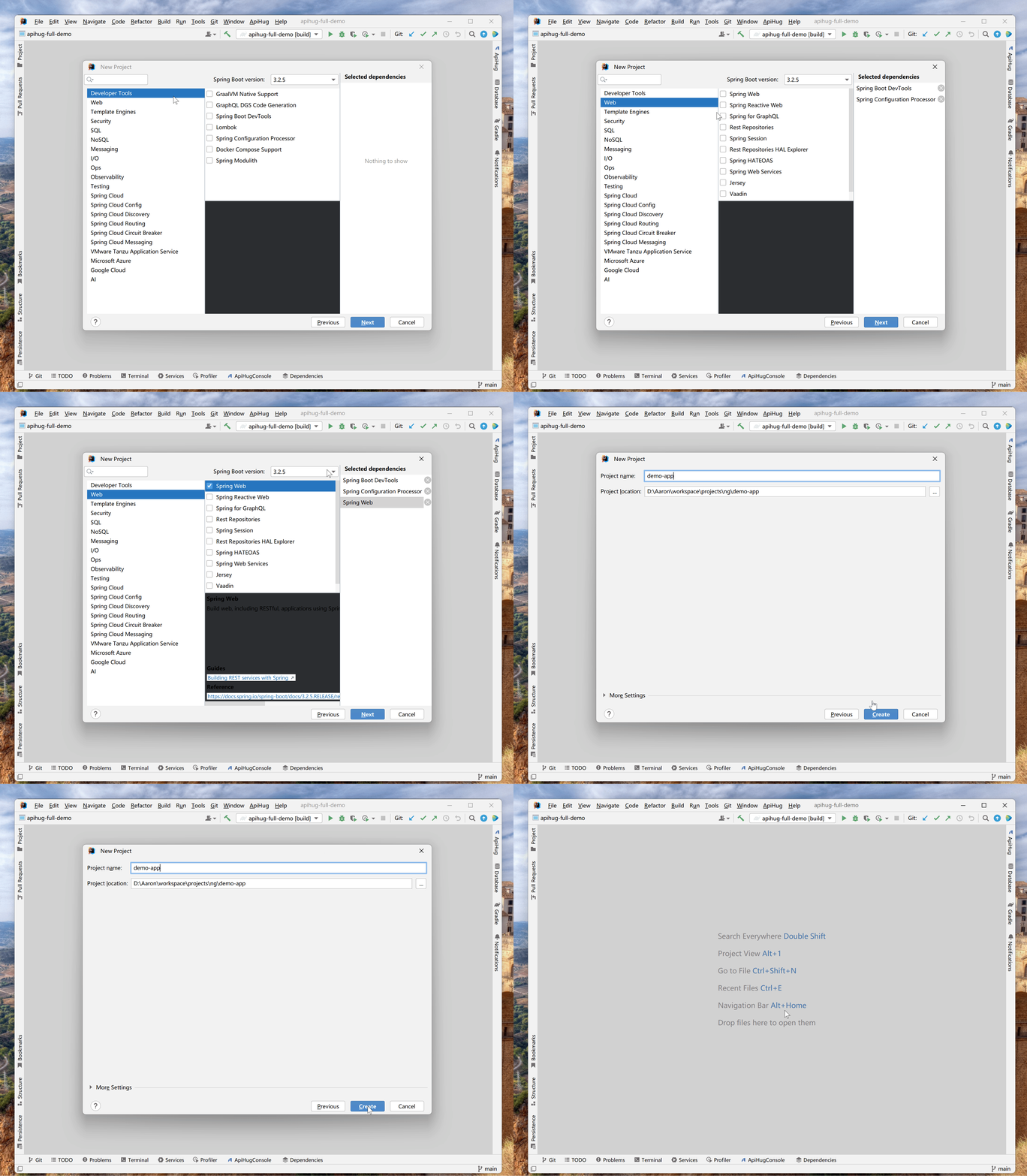
- Complete the Spring Boot wizard section just as you would in Spring Initializr:
- choose the project type
- add the required starter dependencies such as
Spring Web
- Click
Create, then open the generated project.
What You Should See
The wizard will generate an ApiHug-ready project skeleton with the expected module layout, baseline build files, and starter runtime configuration.
Result
You finish with a runnable ApiHug project that is ready for proto design, wire generation, and plugin-assisted editing.
Related Pages
Copyright © 2026 ApiHug·AI-native Enterprise Architecture Factory