

编辑器
010 Stub
how the stub panel work of ApiHug Api design Copilot.
How to use the stub panel of ApiHug Api design Copilot
- ApiHug Tool Window
- Switch to
Assembletab - Click module open design panel
- Configuration
hope-stub.json
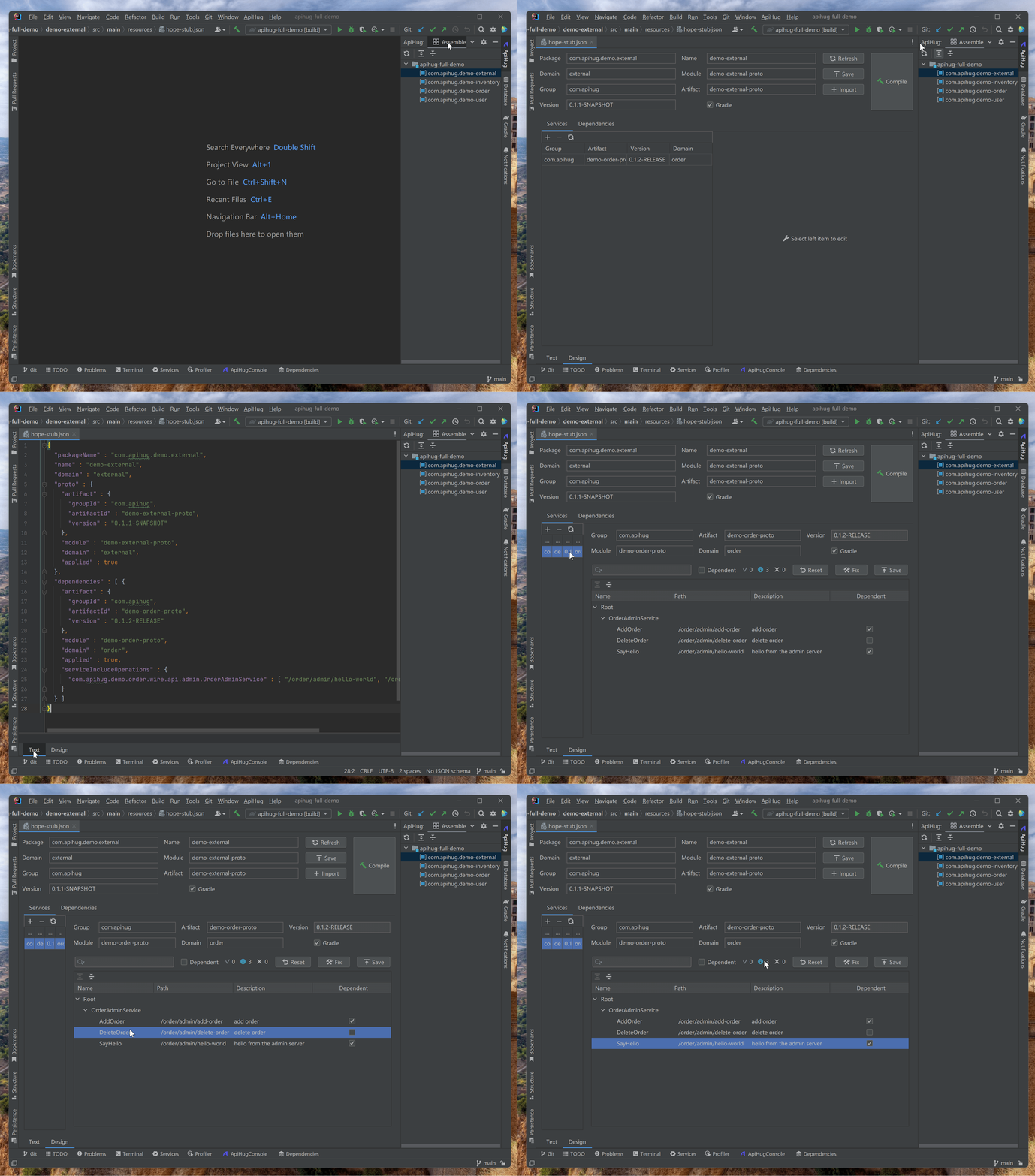
Configuration Sample
Please refer: apihug-full-demo hope-stub.json
JSON
{
  "packageName": "com.apihug.demo.external",
  "name": "demo-external",
  "domain": "external",
  "proto": {
    "artifact": {
      "groupId": "com.apihug",
      "artifactId": "demo-external-proto",
      "version": "0.1.1-SNAPSHOT"
    },
    "module": "demo-external-proto",
    "domain": "external",
    "applied": true
  },
  "dependencies": [
    {
      "artifact": {
        "groupId": "com.apihug",
        "artifactId": "demo-order-proto",
        "version": "0.1.2-RELEASE"
      },
      "module": "demo-order-proto",
      "domain": "order",
      "applied": true,
      "serviceIncludeOperations": {
        "com.apihug.demo.order.wire.api.admin.OrderAdminService": [
          "/order/admin/hello-world",
          "/order/admin/add-order"
        ]
      }
    }
  ]
}
Reference
On this page
Copyright © 2026 ApiHug·AI-native Enterprise Architecture Factory